An issue tracker born in practice

We wanted it simpler.
So we built Board.

The lean issue tracker for Kanban, Scrum and team planning — built for our own daily work and in use at Orphis every day. Fast, clear and open to AI assistants.

  • Kanban and Scrum
  • GitHub and MCP
  • English and German
A project board in the light theme: columns New, In progress, Test and Done with ticket cards, sprint 14 with progress above
Our story

How Board came about

Board wasn’t designed on a drawing board. It’s the tool we work with ourselves — every day.

  1. Our need

    Simple, fast, clear

    We wanted to find tickets fast, plan sprints and see our team’s workload — in one tool that stays clear while doing it.

  2. The decision

    We built the tool ourselves

    As a software team, we built Board for our own daily work: Kanban or Scrum, keyboard control and interfaces for our systems and AI assistants.

  3. The move

    Our work came along

    All active projects moved to Board — with tickets, comments, open sprints and attachments. The familiar ticket keys stayed the same.

  4. Today

    In use every day

    We organise our projects and plan our team’s work with Board. Now we’re showing other teams how we work with it.

active projects moved
All
of tickets with comments and attachments
Thousands
the same ticket keys as before
1 : 1
What we built

Easy to use every day

Board doesn’t do everything — on purpose. Instead, a few decisions you feel every day.

  • Undo instead of “Are you sure?”

    No confirmation before every action. Board does what you say — and every change can be undone.

  • Everything by keyboard

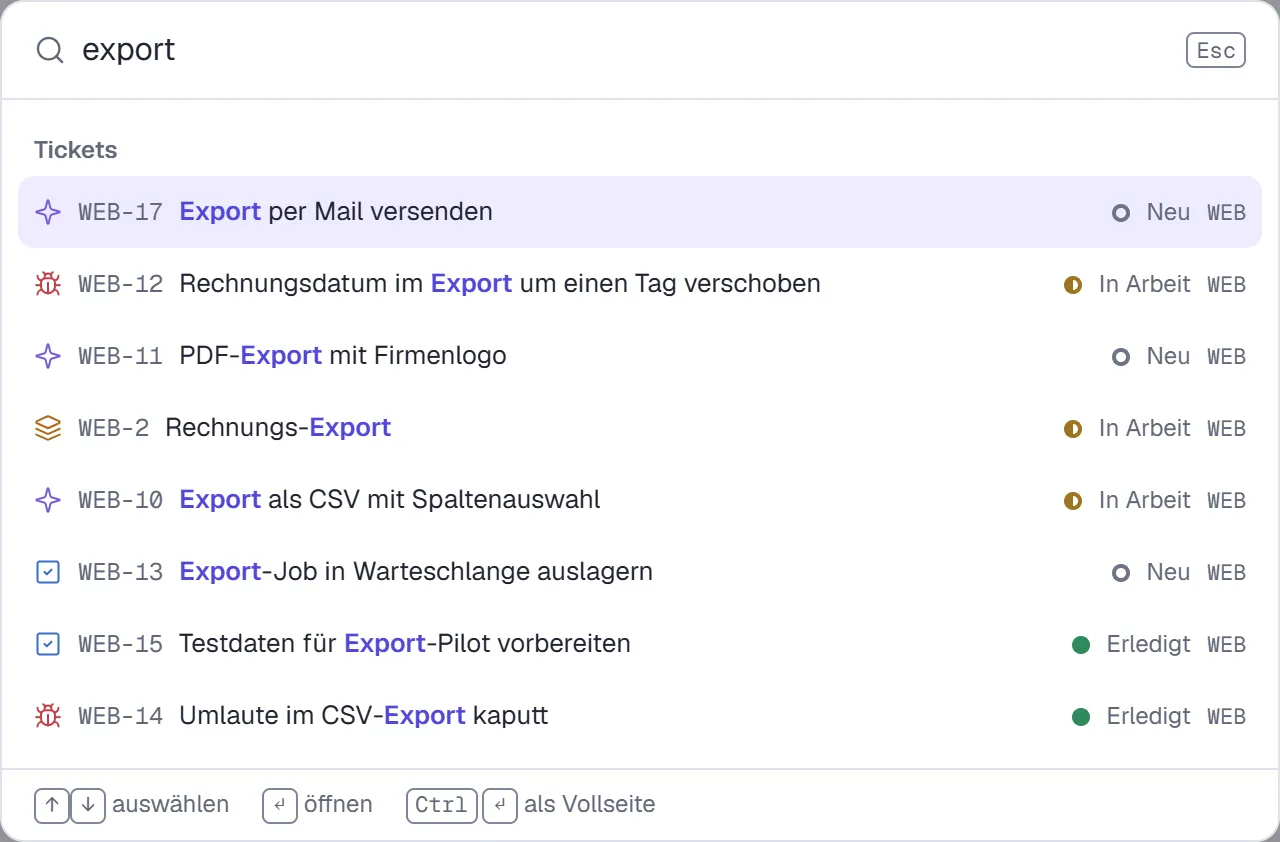
    C creates a ticket, J and K move through the list, Ctrl+K finds everything. Press ? to see every shortcut.

  • One status catalogue for all

    All projects use the same list of statuses. Each board picks its columns from it. So “Done” means the same everywhere.

  • Live, without reloading

    Other people’s changes appear instantly. You see who is editing a description. If two people change the same thing, you decide which version wins.

The product

What a team needs every day — done well.

Real screenshots from Board, with sample data. The interface is available in English and German.

Kanban or Scrum — your choice per project

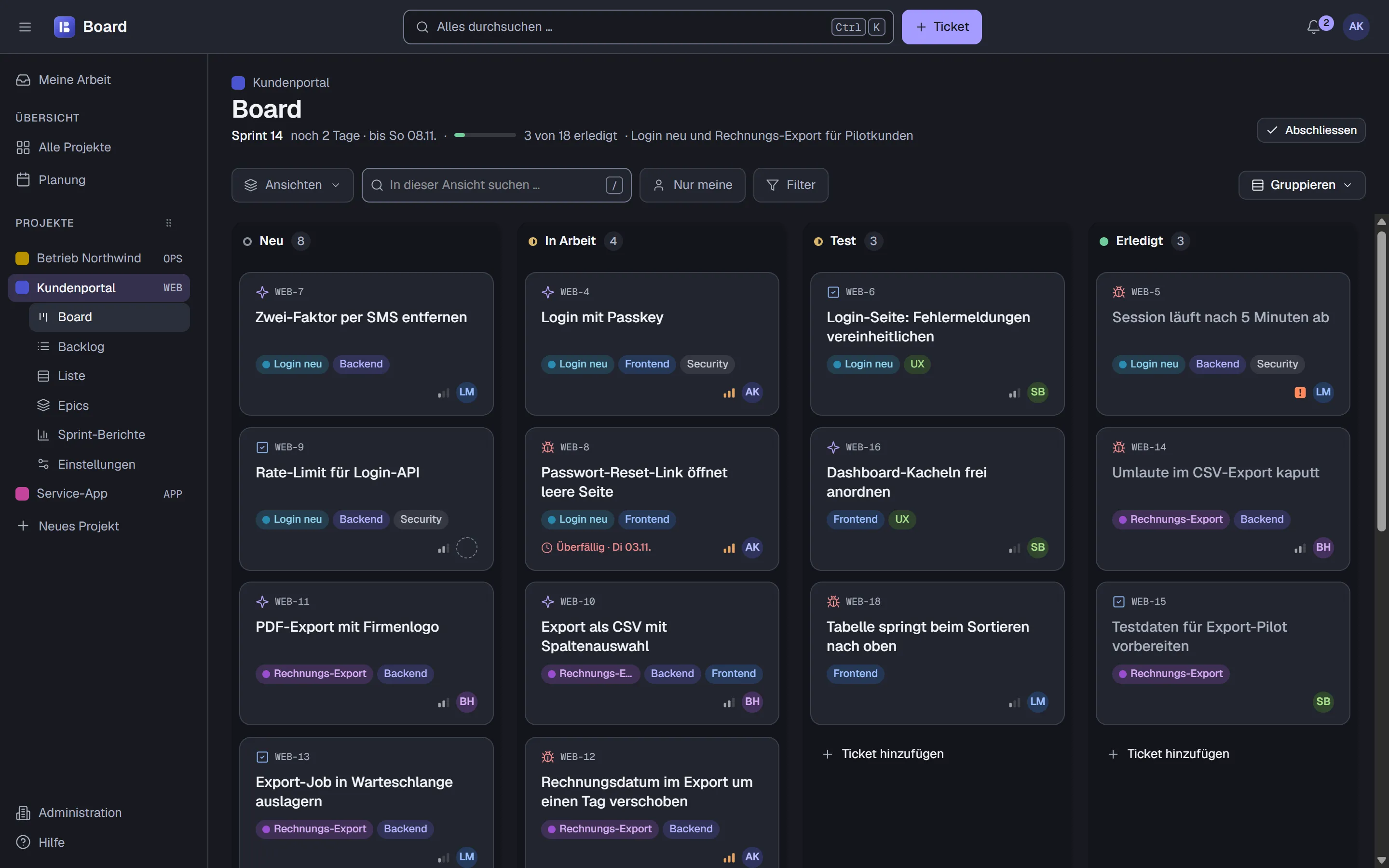
Drag tickets through the columns or move them by keyboard. With sprints, the header shows goal, time left and progress.

  • Your own columns from the shared status catalogue
  • Group tickets into rows by person or epic, filter them and save views
  • Multi-select — and every change with undo
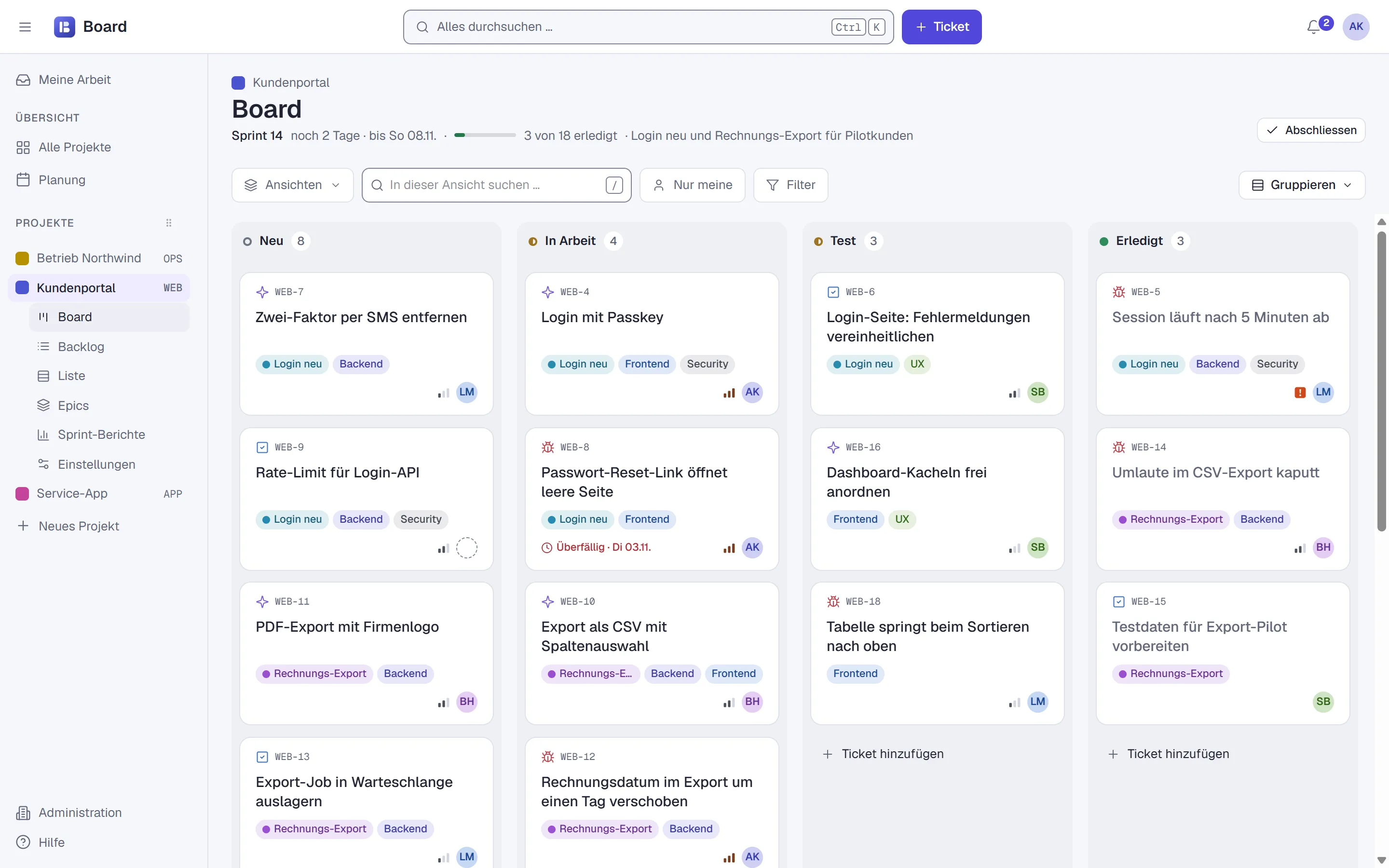
Board of the project Kundenportal with four columns and ticket cards with labels, priority and avatar

Backlog, sprints and epics on one page

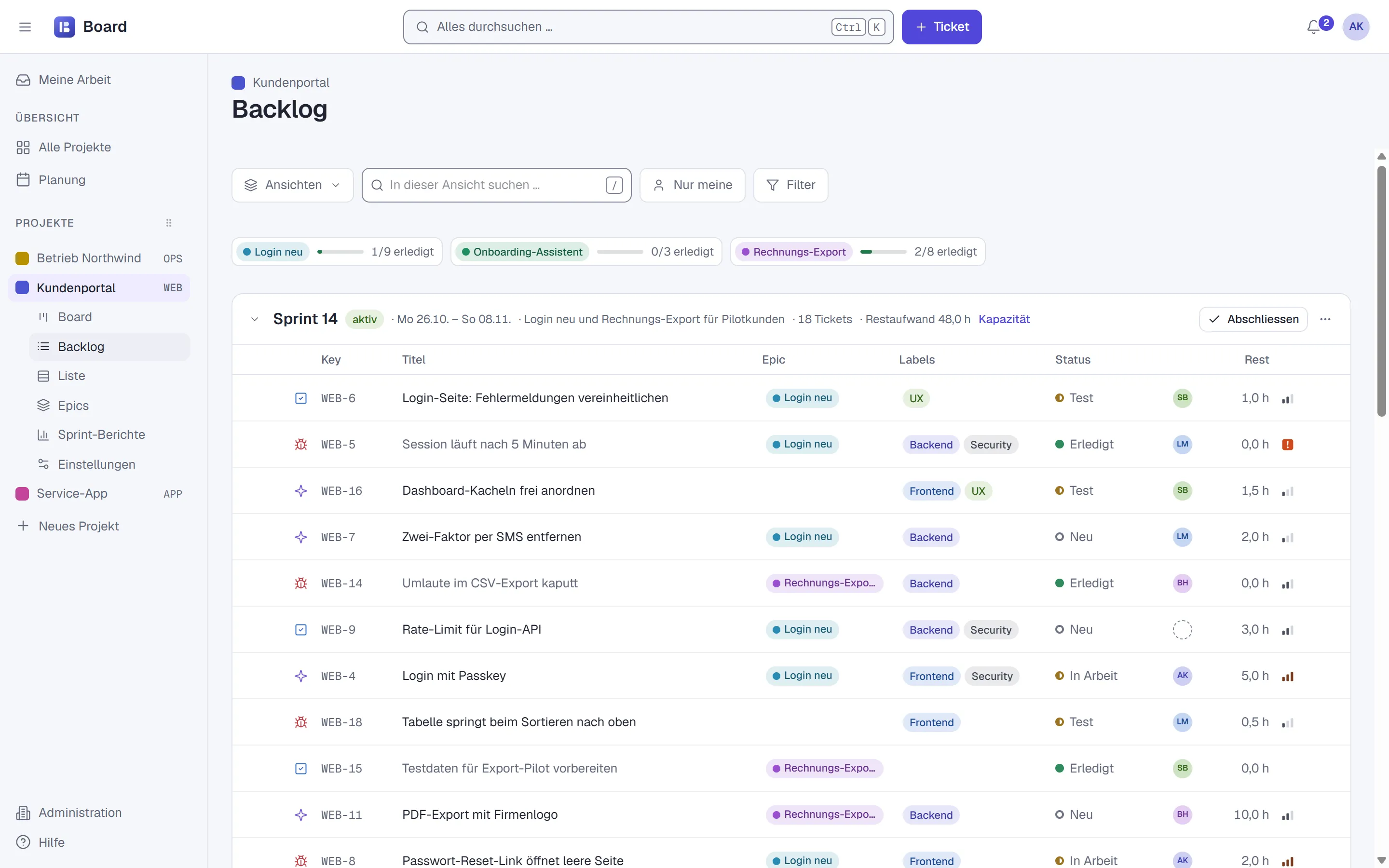
Plan the next sprint by drag and drop, and see every epic’s progress and the sprint’s remaining effort at a glance.

  • Sprints with goal, period and capacity
  • Epics with progress like “1/9 done”
  • List view with CSV export
Backlog with active sprint 14, epic progress on top and tickets with key, title, epic, labels, status and remaining effort

A ticket that carries everything it needs

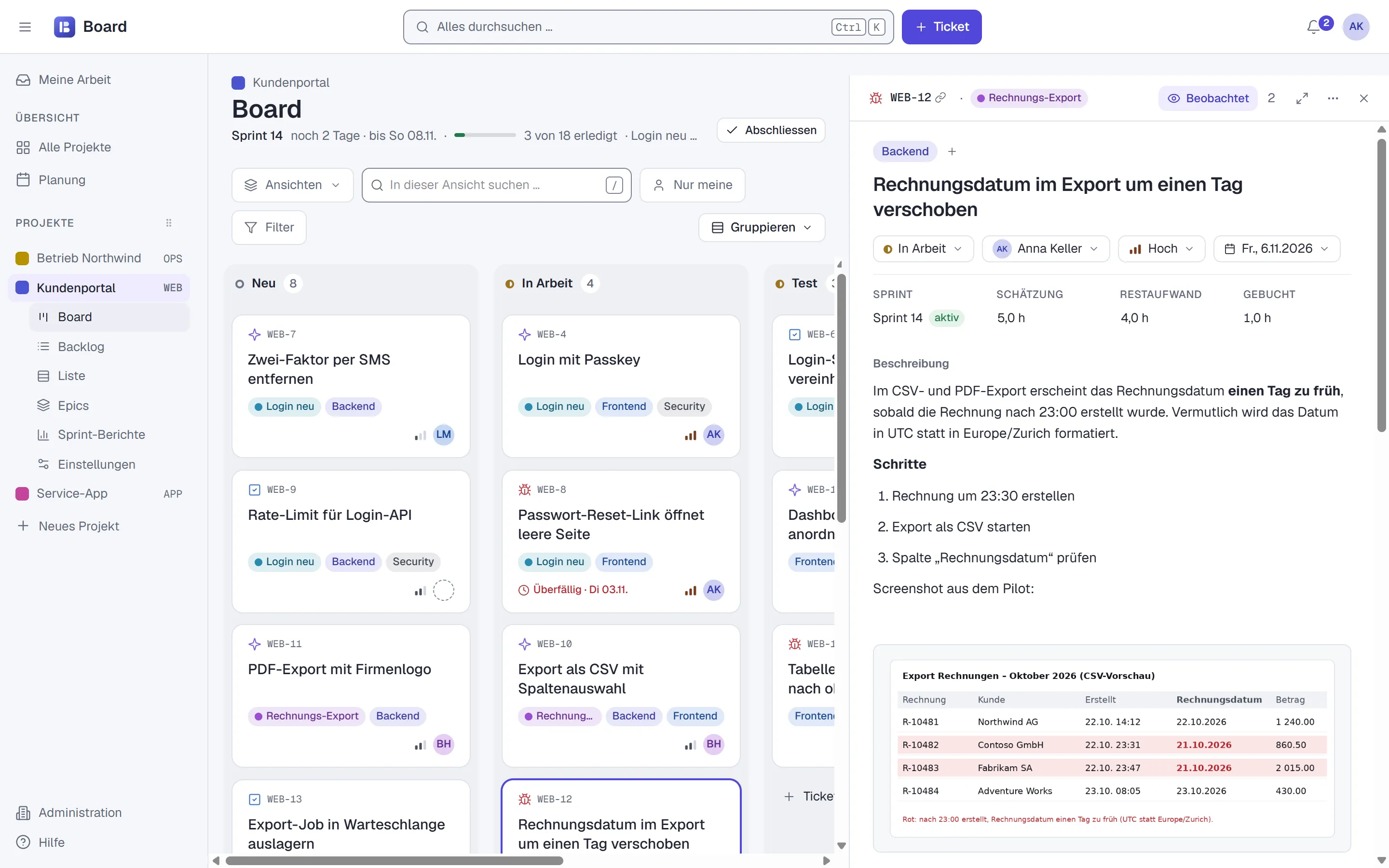
Write formatted text and paste images with Ctrl+V. Add a checklist, attachments, links and comments with @mentions. Every change stays visible in the history.

  • Estimate, remaining effort and logged time on the ticket
  • Comments public or internal
  • GitHub on the ticket: which code changes belong to it and where they already run
Ticket WEB-12 opened next to the board, with status, assignee, priority, due date, description and a pasted screenshot

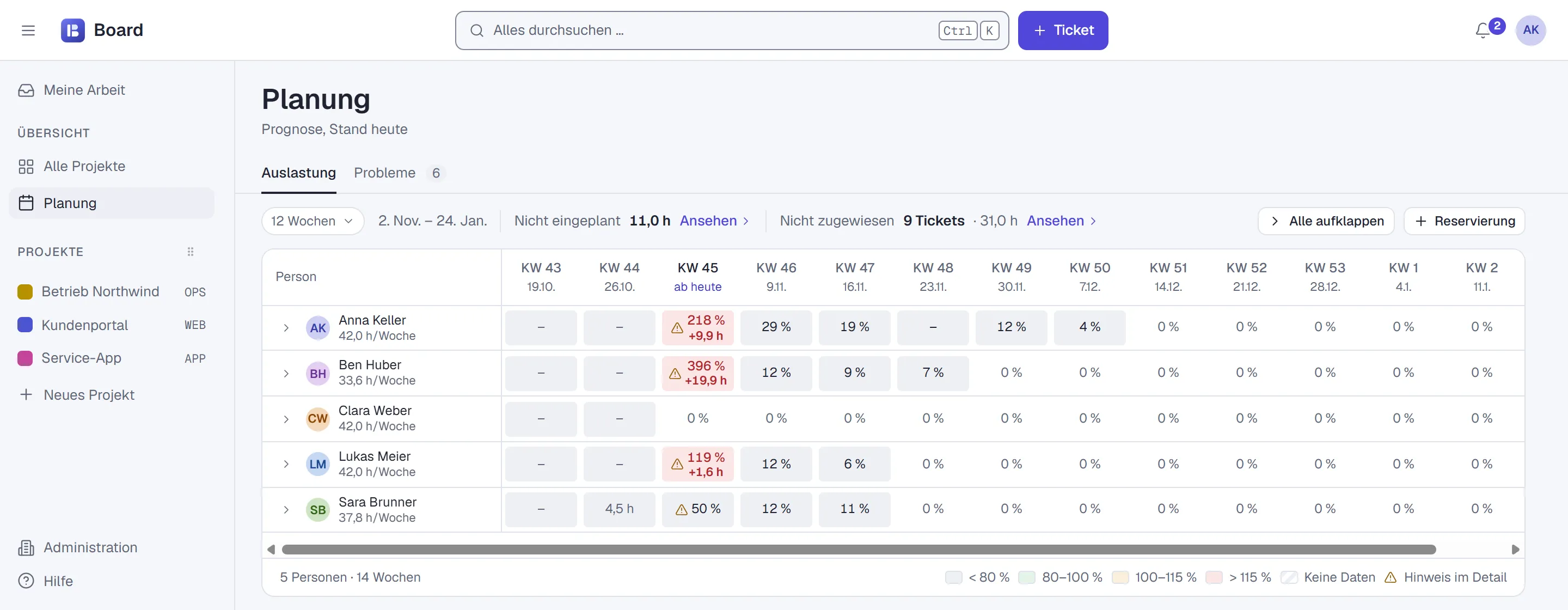
Planning from real working hours

Planning knows each person’s working hours. For each week, it shows who has more work than time.

  • Utilisation per person and week
  • Unscheduled and unassigned tickets in one click
  • Time logging with CSV export
Planning view with five people and their utilisation per calendar week, overload marked red

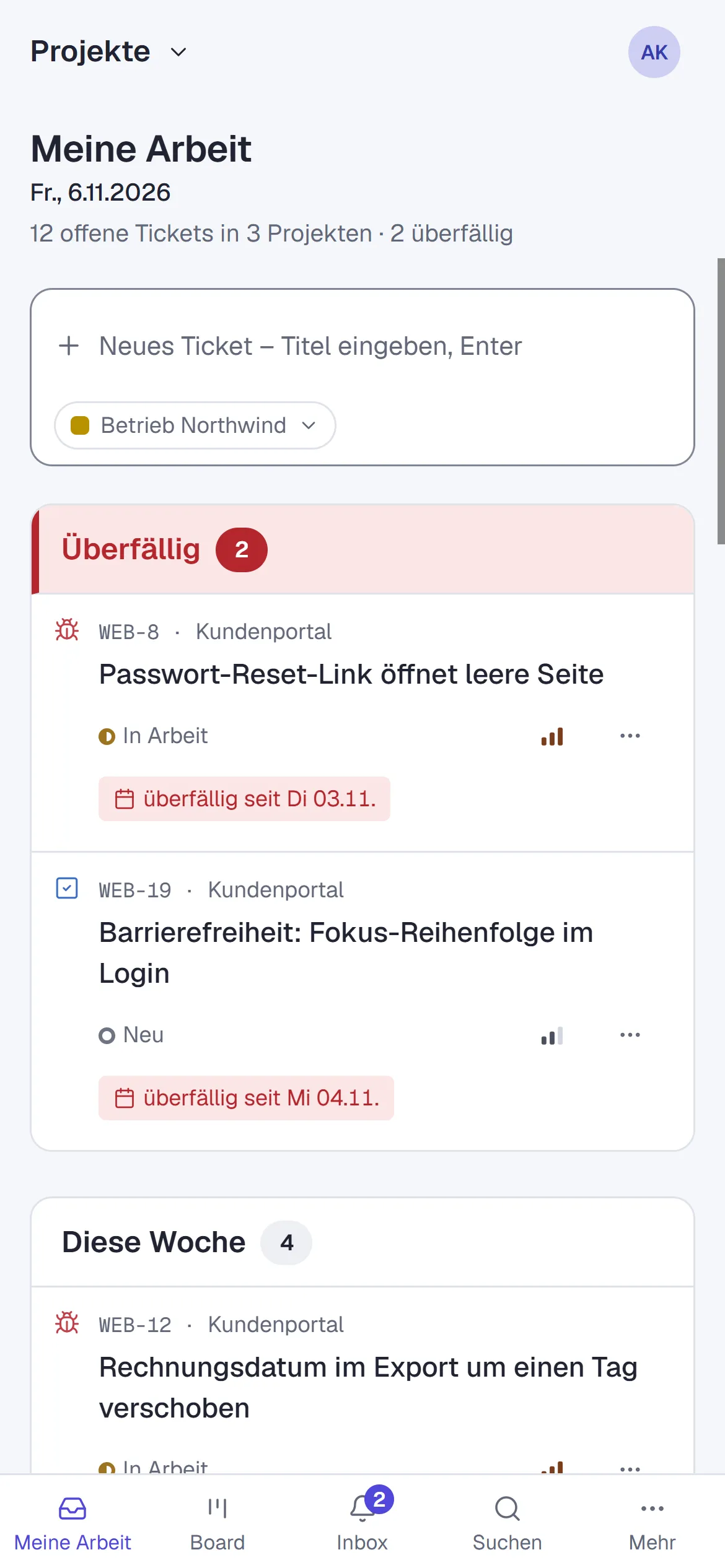
On your phone, no app store

Board installs as an app on your phone. “My work” shows what’s due today — notifications arrive in the app and by email.

  • Installable as a web app (PWA)
  • English and German, light and dark
  • Anything you can drag also works without dragging
Board on a phone: My work with overdue tickets and navigation at the bottom
GitHub integration

From code to live — right on the ticket

Connect your code projects on GitHub to Board. The ticket — and even its card — then shows which code changes belong to it, what has been merged and where it is already running.

  • Code changes on the ticket

    Proposed changes (pull requests) and saved changes (commits) appear on the right ticket automatically. Board recognises the ticket number, such as WEB-12 — even old Jira numbers.

  • Where the change is running

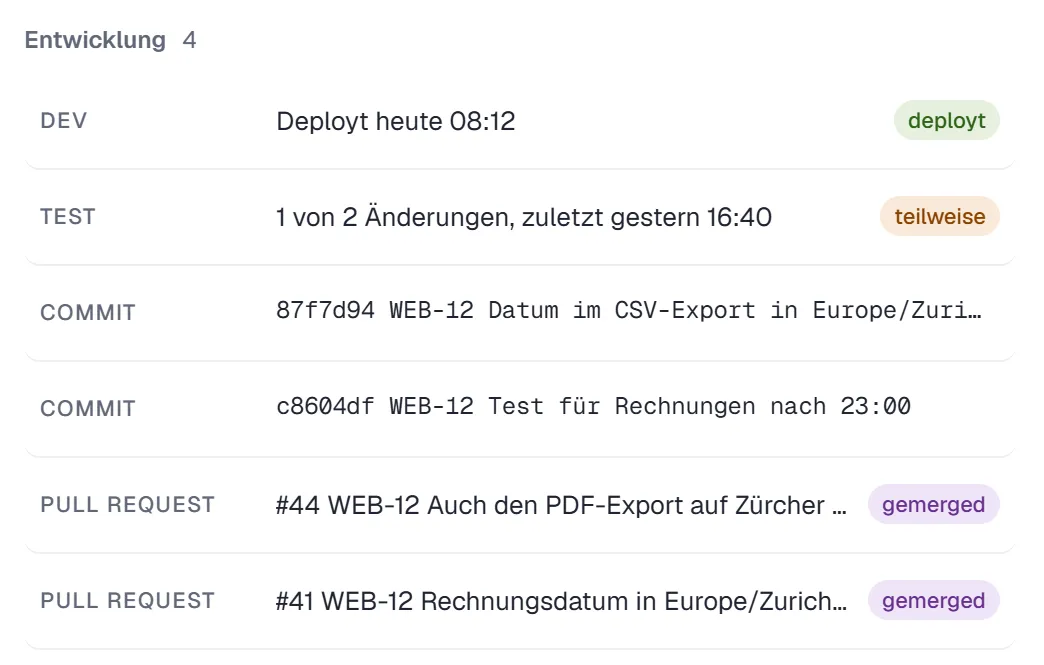
    For each environment — such as development (DEV), test and live (PROD) — you see whether the change is already there: fully, partly or not yet. With a link to GitHub.

  • The status on the card

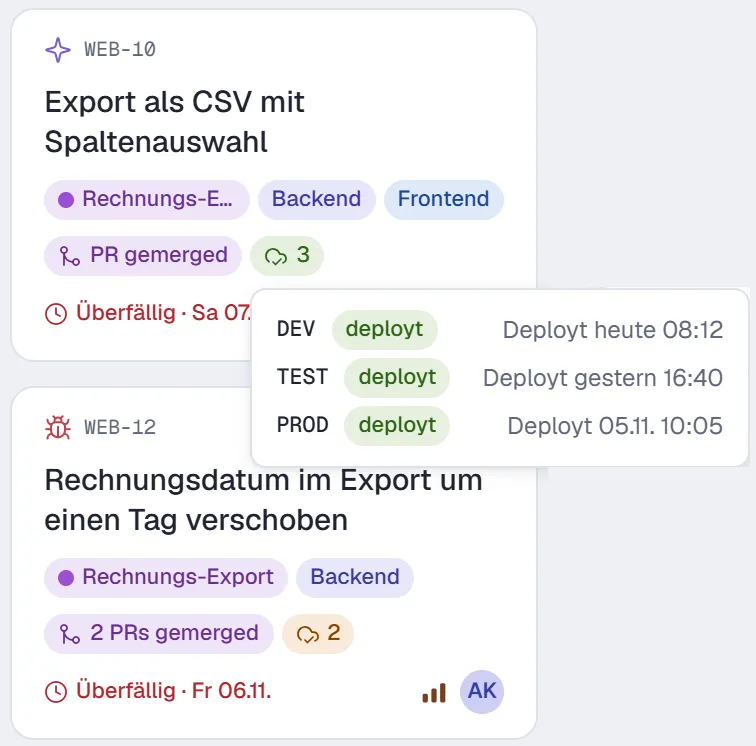
    The card shows whether proposed changes are open or merged, and in how many environments the changes run. Green means: fully arrived everywhere.

  • Less manual work

    If you like, the ticket is marked done as soon as the change is merged. And Board suggests a matching branch name, such as web-123-login-fehler.

Development section of ticket WEB-12: DEV deployed today 08:12, TEST partial with 1 of 2 changes, below two commits and two merged pull requests
Two board cards with PR badge and environment cloud; the tooltip shows DEV, TEST and PROD each deployed
Board’s real interface with sample data (shown in German).
Speed is a feature

Fixed targets for every action

to open a board with all its data
< 1 s
to apply a filter
< 100 ms
for Ctrl+K to find any ticket
< 300 ms
until your team sees the change
< 1 s

Targets for a project with 2,000 tickets: 95 out of 100 actions should be this fast. Automated tests check this during development.

For humans and machines

Your AI assistant works right in Board

AI assistants like Claude can work directly in Board: read the sprint, create tickets, comment and log time. They can never do more than you can. Other programs connect through a documented interface.

MCP server
The interface for AI assistants (Model Context Protocol) with 26 functions. Whatever an AI changes shows up in the history as “via AI”.
REST API
Programming interface for projects, tickets, comments and imports — fully documented (OpenAPI).
Webhooks
Board tells your systems automatically when something happens: a new ticket, a status change, a finished sprint.
Access tokens
Personal keys for programs — read-only or read-write, revocable at any time and logged.
  1. What’s still open in the sprint? And create a ticket: umlauts missing in the PDF export.

  2. get_active_sprint project: "WEB"
  3. create_ticket project: "WEB", type: "Bug", title: "Umlauts missing in PDF export", sprint: "active"
  4. Sprint 14 has 2 days left, 3 of 18 tickets are done. I created WEB-25 and put it into the running sprint.

Example with sample data. Tool names and parameters as in Board’s MCP server.
Customers on board

Invite your customers. Without fearing the wrong comment.

Guests work in the same project — and still only see what’s meant for them. Comments are public or internal; internal ones are tinted and carry a lock.

  • Guests only see their projects — never estimates, time or planning
  • Internal comments and protected fields stay within the team
  • Guests use Board in English or German
Your move

Coming from Jira? Your tickets come along.

We used this same import to move to Board. It transfers tickets, comments, open sprints and attachments. You can repeat it as often as you need — and switch when you’re ready.

  • Same keys as in Jira — WEB-123 stays WEB-123
  • Jira statuses are mapped onto the shared status catalogue
  • Ctrl+K still finds old Jira keys
What’s next

Board for your team — or software that fits you

Board

Get to know Board

In 30 minutes on Microsoft Teams, no obligation: we show you how we work with Board and find out together whether and how it fits your day-to-day work.

Book a demo
Orphis

Software for other processes?

Board exists because we wanted a tool that fits our work exactly. We do the same for our customers: software that fits their processes.

Meet Orphis

Frequently asked questions

Do you really use Board yourselves?

Yes, every day. All our active projects run in Board — from sprint planning to bug fixes.

How is Board different from Jira?

We built Board for our own project work: with Kanban or Scrum, planning based on working hours, keyboard control and its own MCP server for AI assistants. At Orphis it replaced Jira. Whether Board covers your requirements too, we’re happy to look at together in a demo.

Do I need to install anything?

No. Board runs in the browser and installs as an app on phone and desktop.

Can customers collaborate?

Yes, as guests in individual projects. They see tickets and public comments, but never estimates, time, planning or internal comments.

What does Board cost?

We clarify that in a conversation — together with how Board would be used at your company.

30 minutes, your team, your board

We show you Board the way we work with it ourselves — from the first ticket to the AI assistant that creates tickets. Book a slot directly or write to us.

Book a demo